In my previous blog post I described how to get the OneDrive picker to work on a local development server. In this post I will describe the second piece of the puzzle, downloading the file to a local server using PHP after the user selects it:
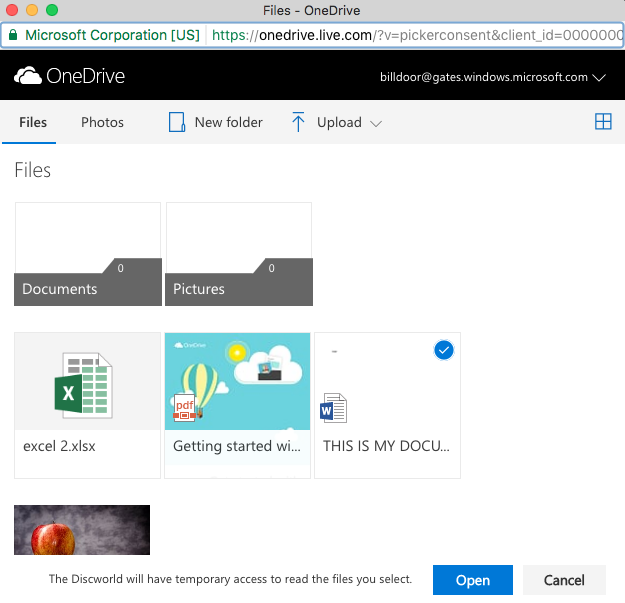
First, below is the JavaScript/jQuery used to open the file picker:
$(function() {
    $('.onedrive-button').click(function() {
        openOneDrivePicker();
    });
});

function openOneDrivePicker() {
    var odOptions = {
        clientId: client_id,
        action: "download",
        advanced: {
            redirectUri: redirect_uri,
        },
        multiSelect: true,
        openInNewWindow: true,
        success: function (files) { /* success handler */
            var files_array = files.value;
            for(var i in files_array) {
                window.processOneDriveFile(files_array[i]);
            }
        },
        cancel: function () { /* cancel handler */
        },
        error: function (e) { /* error handler */
        }
    }
    OneDrive.open(odOptions);
}
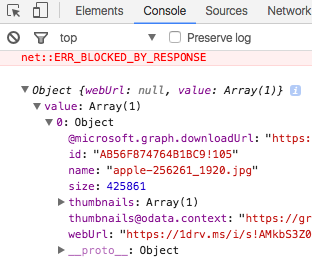
The success method goes through the file or files selected and calls a function called processOneDriveFile() on each one of the file objects.
Below is the code to the processOneDriveFile() function, which submits the file to a PHP handler file called file_handler.php:
// this function automatically submits the file to the server as soon
// as the user picks a file from the OneDrive picker. You may
// instead want to store the files in a variable and only submit when
// the user clicks some "Submit" button somewhere in your app.
function processOneDriveFile(file) {
    var file_name = file.name;
    var file_size = file.size;
    var download_url = file['@microsoft.graph.downloadUrl'];

    var data = {
        file_name : file_name,
        file_size : file_size,
        download_url : download_url,
        command : 'handle-onedrive-file',
    };

    $.ajax({
        url: '/path/to/file_handler.php',
        type: 'post',
        data: data,
        error: function (data) {
            console.debug(data);
        },
        success: function (data) {
            // success message
        }
    });
}
And here is the code for file_handler.php:
// bootstrap code

$command = $_POST['command'];

if('handle-onedrive-file' === $command) {
 $file_name = $_POST['file_name'];
 $file_size = $_POST['file_size'];
 $download_url = $_POST['download_url'];

 $ch = curl_init($download_url);
 curl_setopt($ch, CURLOPT_HEADER, 0);
 curl_setopt($ch, CURLOPT_RETURNTRANSFER, 1);
 curl_setopt($ch, CURLOPT_BINARYTRANSFER, 1);
 curl_setopt($ch, CURLOPT_FOLLOWLOCATION, true);
 curl_setopt($ch, CURLOPT_SSL_VERIFYPEER, false);
 curl_setopt($ch, CURLOPT_SSL_VERIFYHOST, false);
 curl_setopt($ch, CURLOPT_CONNECTTIMEOUT, 20);

 $data = curl_exec($ch);
 $code = curl_getinfo($ch, CURLINFO_HTTP_CODE);
 $content_type = curl_getinfo($ch, CURLINFO_CONTENT_TYPE);
 $error = curl_errno($ch);
 curl_close($ch);

 // A file with the same name may exist, that must be handled.
 $file_save_path = '/some/path/' . $file_name;

 file_put_contents($file_save_path, $data);

 echo 'File successfully retrieved and stored!';
}
That’s all. Make sure that the curl PHP library is installed and enabled (it is not sufficient to have the Linux curl utility, the code above uses the PHP library for it).